Your SSD Writes More Than You Download: The Quiet Cost of the Write Amplification Tax
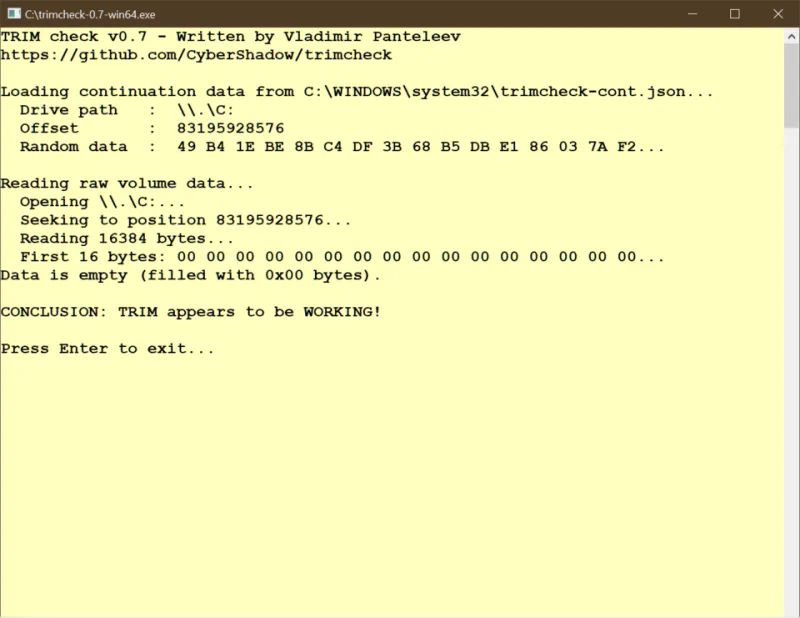
Photo: François-Dominique, CC BY-SA 4.0, via Wikimedia Commons
The math that never shows up in your client's stats
Your torrent client says it downloaded 500 GB this month. Your drive's SMART data says it wrote 1.2 TB. Nobody is lying, and nothing is broken. That gap is write amplification, and it is the single most under-discussed cost of running a busy storage box.
Write amplification factor, or WAF, is simple arithmetic: total bytes written to the NAND divided by total bytes your operating system asked to write. A WAF of 1.0 means the drive is perfectly efficient. A WAF of 2.0 means every gigabyte you download costs you two gigabytes of the drive's rated endurance. Consumer drives routinely land between 1.3 and 3.0 depending on workload, and download-heavy workloads are among the worst offenders.
Every SSD has a TBW rating — terabytes written — in its spec sheet. A mainstream 1TB TLC drive typically carries 600 TBW. That sounds enormous until you do the division: at a WAF of 2.0, you get 300 TB of actual downloads before you hit the warranty line. A seeding box that churns through 80 GB a day reaches that in about a decade. A sync-heavy workstation doing video work can get there much faster.
Where the extra writes come from
Rechecks and hash passes
BitTorrent verifies pieces by reading them back. A forced recheck reads the whole torrent, and while reads are cheap, the client's response to a failed piece is to re-download and rewrite it. Clients that "move on complete" from the download directory to the library directory are doing a full read plus a full write of every file. A 50 GB torrent effectively costs 50 GB of writes twice.
Sync clients rewriting quiet files
Dropbox, OneDrive, and iCloud don't write in neat 1 GB chunks. They write blocks, and they rewrite blocks when file metadata changes. Edit the first frame of a 4 GB video project and the client can rewrite substantially more than the frame. Point three machines at one sync folder and multiply accordingly.
SLC cache: fast now, expensive later
Nearly every consumer drive uses a slice of its TLC or QLC NAND in a faster, less dense single-bit-per-cell mode as a write buffer so the spec sheet can advertise 3,000 MB/s. That buffer might be 30 GB on a 1TB QLC drive, shrinking as the drive fills. Once you exceed it, the controller has to fold all that SLC data down into TLC or QLC later — an extra NAND write for every byte you already wrote. Sustained large transfers into a full drive are the textbook amplification case.
Garbage collection and the free-space tax
Flash can only be erased in blocks. When the drive is full, the controller has to copy still-valid pages out of half-used blocks before it can erase them. Every one of those copied pages is an extra write. On a drive sitting at 95 percent capacity, WAF can climb past 3.0 without any change in your habits.
How to measure your own amplification
On Linux with nvme-cli, run nvme smart-log /dev/nvme0 and look at Data Units Written. Multiply by 512,000 to get bytes. On Windows, CrystalDiskInfo reports "Total Host Writes" in its detail view. Take a reading, do your normal week of downloading, take another, and compare the delta against what your clients and sync tools report. That ratio is your WAF. Most people are genuinely surprised by it.
If your drive reports 15 to 20 percent used life after two years of light use, you're probably fine. If it's dropping a percentage point every few weeks on a drive with a heavy queue, it's worth changing something before the drive changes it for you.
Settings that cut the tax without killing the queue
Separate your staging drive from your archive. Download to a cheap drive you don't care about, then move completed files to the big one. Better still, download and seed from a mechanical drive — spinning disks don't have a TBW rating, and sequential torrent traffic is one of the few workloads where a hard drive is genuinely the right tool. Keep the SSDs for things that need random access.
Stop rechecking on a schedule. A weekly forced rehash of everything is theater. Recheck when data suggests a problem, not because a checkbox exists.
Exclude download folders from sync clients. Dropbox does not need to watch your Linux ISO folder. Neither does the Windows Search indexer, which quietly touches everything you own.
Leave headroom. Keep 15 to 20 percent of the drive free. That's not superstition; it's the working space garbage collection needs. Some drives let you set over-provisioning in the vendor's utility, which reserves capacity permanently and does the same job better.
Turn on TRIM and let it work. Check that it's enabled, verify with fstrim --verbose on Linux or the Optimize Drives panel on Windows, and then stop manually defragmenting an SSD like it's 2009.
Match the filesystem to the job. On a NAS, ZFS with a sensible recordsize or ext4/XFS with proper alignment will produce far less amplification than NTFS on a network share, which is a sentence I did not expect to write this decade.
The bottom line
Your SSD isn't fragile, and none of this is a reason to panic about endurance. It is a reason to know where your writes are going. The average home setup wastes a quarter of its drive's lifespan on transfers it didn't need to make, and every one of those is a circuit you paid for. Spend it on purpose.