Read the Fine Print Before Your ISP Reads Your Traffic: A Home Server Peace Treaty
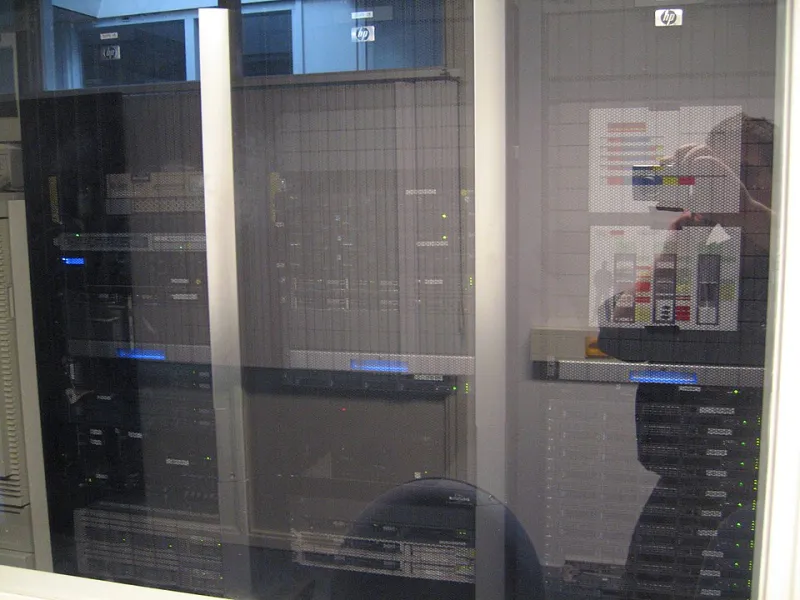
Photo: Jemimus, CC BY 2.0, via Wikimedia Commons
There's a particular kind of dread that hits when you get that email. Subject line: Notice of Excessive Bandwidth Usage. Your stomach drops, even though you're pretty sure you haven't done anything wrong. You've just been running a Plex server for your own movie collection and pulling the occasional Linux ISO at 2 a.m.
Here's the thing most guides skip: the hardware is the easy part. A used mini-PC, a big drive, some software — done in an afternoon. The hard part is the relationship with your internet provider, and that relationship is governed by a document almost nobody reads: your Terms of Service.
Your ToS Is a Contract. Act Like It.
Every major US ISP — Comcast/Xfinity, Spectrum, Cox, AT&T, Verizon — publishes its agreement online, and buried in there is language about "unreasonable usage," "server hosting," and "commercial purposes." The wording matters enormously.
Most residential agreements prohibit running commercial servers or services offered to the public. A personal media server that streams your own ripped Blu-rays to your own devices while you're on vacation? That's generally a different animal than reselling bandwidth to your neighbors. But the definitions can be vague, and vague is where trouble lives.
Before you power anything on, search your provider's agreement for three phrases: "servers," "unlimited," and "network management." Screenshot what you find. If you ever get a nastygram, you'll want to know exactly which clause they're citing — and whether it actually applies to what you're doing.
The Data Cap Reality Check
As of the last few years, most of the big national providers have dropped or raised hard caps, but don't assume — regional ISPs and smaller cable operators still enforce them, and "unlimited" plans sometimes have a de facto throttle after a threshold.
A quick tour of how this shakes out across the country:
- Northeast and West Coast: Generally the friendliest territory. Fiber buildout from providers like Verizon Fios and various municipal networks means high or nonexistent caps.
- The South and Midwest: A mixed bag. Cable providers in some markets still enforce 1.2TB-style caps with overage fees around $10 per 50GB block.
- Rural America: Satellite and fixed wireless providers (think Starlink, Viasat, HughesNet) often have the strictest effective limits, with deprioritization kicking in fast. A download server on satellite is a gamble.
Whatever your situation, spend one normal month watching your usage in your ISP's app or account portal. That number is your baseline. A download-heavy hobby can triple it overnight, so know your headroom before you queue up a 400GB remux.
Throttle Yourself Before Someone Else Does
The single best habit for a home server operator is deliberate bandwidth management. Your download client — whether it's qBittorrent, a usenet setup, or a sync tool — almost certainly has rate-limiting options. Use them.
A few rules of thumb that keep everyone happy:
- Cap downloads at 70-80% of your plan's speed during peak evening hours. This keeps your connection responsive and your traffic pattern looking like, well, a person streaming things.
- Never saturate your upload if you're seeding or serving files. Upload saturation is what actually makes your household's video calls unwatchable, and it's also the traffic pattern that stands out on a network graph.
- Schedule the heavy lifting. Most clients support off-peak scheduling. Let the big pulls run from midnight to 6 a.m. when the network is quiet and nobody's watching you be the reason the Wi-Fi died.
Ratios, Seeding, and the Etiquette Layer
If your downloading involves torrents, the community norms add another layer. Private trackers often require a share ratio — you give back as much as you take. That's a legitimate, legal activity when the content is in the public domain or freely licensed (there's a shocking amount of it: archive.org collections, Creative Commons media, Linux distros, public-domain films). But sustained high-volume seeding is exactly the traffic shape that automated ISP monitoring flags, even when the content is completely above board.
Keep your seeding windows bounded. Seed generously but not infinitely. Your cap — and your ISP's patience — will thank you.
When to Just Call Them
Counterintuitive advice: if you're bumping caps regularly, call your provider and ask about upgrade options before they call you. Many ISPs will happily sell you a higher tier, and some will make one-time cap forgiveness a courtesy if you ask and have a clean history. Negotiation works better proactively than reactively — a customer who calls first looks like a power user; a customer who gets flagged first looks like a problem.
Also worth asking about: unlimited data add-ons. Xfinity, for instance, has historically offered one for around $30/month, which beats overage fees if you're consistently over.
The Bottom Line
A home download server is one of the most satisfying projects in the self-hosting world — your files, your speeds, no subscription. Staying on your ISP's good side isn't about hiding; it's about being a good network citizen. Read the contract, know your caps, throttle your peaks, and keep your traffic pattern boring. Boring, in this context, is the goal.
Your future self — the one who didn't get a termination warning letter — says thanks.