10 Terabytes Later: The Cloud Math That Stops Adding Up
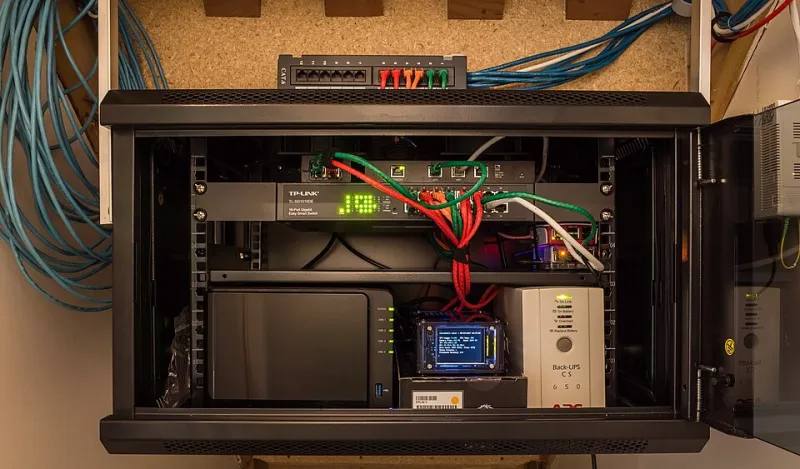
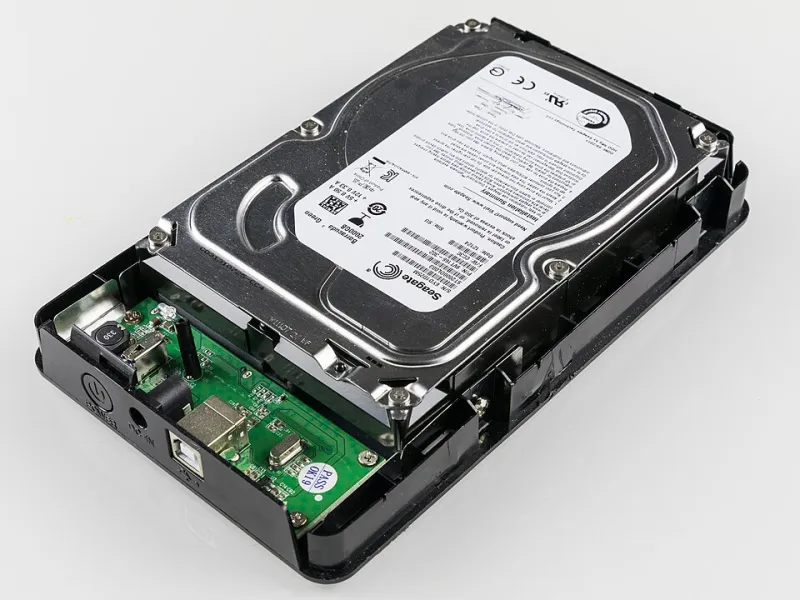
Photo: Simeon W from Wellington, New Zealand, CC BY 2.0, via Wikimedia Commons
There's a moment every heavy digital packer eventually hits. It's not dramatic. You don't get an alert. You just notice that your Google One or iCloud bill quietly crossed into "used car payment adjacent" territory, and your photo library hasn't even finished uploading from the new phone.
That moment usually arrives somewhere between 6 and 10 terabytes. And if you're on the wrong side of it, you're not renting storage anymore — you're paying a permanent tax on data you already own.
Where the Math Breaks
Let's do the arithmetic most people never do. Google One's 5TB tier runs about $50/month. Dropbox's top personal plans land in a similar neighborhood once you need real capacity. iCloud caps out well below what a serious video archive needs, period.
At 5TB, $50 a month is $600 a year. Over five years, that's $3,000. A brand-new 8TB NAS enclosure with drives runs $900–$1,200. Even a mid-range four-bay setup with enterprise-adjacent drives lands under $1,500. The crossover point — where building beats renting — sits somewhere around year two for most people, sooner if you're already above 6TB.
The catch, of course, is that the cloud price includes things a bare NAS doesn't: offsite redundancy, no maintenance, and a support line to call at 2 a.m. That's the honest version of the trade-off, and anyone selling you a Raspberry Pi as a total solution is skipping it.
Three Readers, Three Endings
We heard from three BCHD Files readers last month, all hovering around the 10TB mark, and their outcomes are basically the decision tree in human form.
Marcus, 41, photographer in Austin. He built a Synology four-bay with two 12TB drives in mirrored configuration, keeps a second set of rotating drives in a fireproof safe at his brother's place, and moved his active client work to the NAS. His monthly storage cost went from $55 to effectively zero plus electricity. Total build: about $1,700. He says the setup paid for itself in under three years, and his Lightroom catalog is faster on the local network than it ever was pulling previews from the cloud.
Dana, 33, gamer and archivist in Ohio. Dana went hybrid. The game installs — which are enormous but replaceable — live on a $280 refurb desktop with a pair of 8TB drives. The irreplaceable stuff (family videos, a decade of photos, scanned documents) stays in the cloud at a smaller tier. Her logic: pay for redundancy on what can't be re-downloaded, and keep the cheap, rebuildable bulk local. Her cloud bill dropped from $40 to $10 a month.
Priya, 38, Seattle. Priya is the third reader, and she's the cautionary tale of inertia. She knows the math. She's run the spreadsheet. She keeps paying anyway, because the thought of migrating 11TB of family video off Google's servers gives her a genuine stress response. "Every month I think about it," she told us. "Every month I pay instead." That's $480 a year buying peace of mind — or avoidance, depending on how you look at it.
The Decision Framework
So which side of the line are you on? Ask yourself four questions.
1. How much of your data is actually irreplaceable? For most households, it's shockingly little. Photos, videos, documents, maybe 500GB–2TB. Everything else — movies, games, downloaded media — can be re-acquired. If your irreplaceable tier is small, you don't have a 10TB problem. You have a 1TB problem wearing a 10TB costume.
2. What's your five-year cost? Multiply your monthly tier by 60. Compare it to a NAS build plus two external drives for offsite rotation. Be honest about including a future drive replacement.
3. Do you actually want to run infrastructure? A NAS is a small appliance, not a full-time job, but it's not nothing. Updates happen. Drives fail. If that sounds like a hobby you'd resent, the hybrid route — small cloud tier for the essentials, big local drive for the bulk — captures most of the savings with almost none of the administration.
4. What happens when the bill doubles again? If 10TB feels expensive, imagine 20TB, because video is only getting heavier. The trend line matters more than the current number.
The Uncomfortable Truth About the Third Reader
Here's the part the storage industry doesn't advertise: for a meaningful slice of people, the "wrong" choice is perfectly rational. Priya's $480 a year buys her zero migration risk, zero hardware failures on her end, and access from any device anywhere. That's not stupid. That's a service she's choosing to keep buying.
The problem is only when you're paying cloud prices for data that doesn't need cloud economics — the 8TB of Steam libraries and ripped DVDs sitting in a tier priced like it's all family heirlooms. Sort your data by what it would cost to lose it, not by how big it is, and the right answer usually sorts itself.
The 10TB threshold is real, but it's not a cliff. It's a fork. One path costs you a weekend and $1,200. The other costs you $600 a year, forever, and honestly? Plenty of smart people take it anyway. Just make sure you're choosing it — not sleepwalking into it.