I Filled a $5 Marketplace Hard Drive With Family Photos. It Didn't End Well.
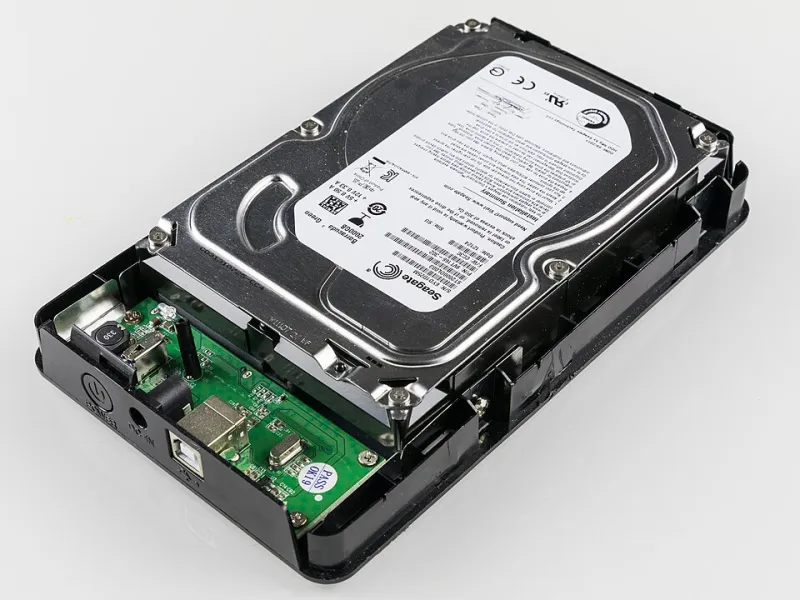
Photo: Raimond Spekking, CC BY-SA 4.0, via Wikimedia Commons
The listing was beautiful, in the way scam listings always are. '2TB Portable External Hard Drive — USB 3.0 — NEW.' Price: $5.49 with free shipping. Shipped from a warehouse three time zones away, sold by a storefront with a name like a keyboard cat walked across: 'TechHomeDirect-Store99.'
You've seen these listings. They're on every major US marketplace — the big ones, the ones you actually shop at. And the reviews are suspiciously glowing, all posted within the same two-week window, all written in the same slightly-off English.
I bought one anyway. For science. For you. Mostly for science.
The Unboxing: Red Flags Before the Plug
The drive arrived in a padded envelope, not a box. No brand name. No model number. The enclosure was a matte plastic shell that felt like a dollar-store pencil case, and the USB cable had the heft of a shoelace.
Weight check: a real 2TB drive has a 2.5-inch platter inside and some heft to it. This thing weighed about as much as a deck of cards with two cards missing. That's because — spoiler — there was no 2TB drive inside at all.
The Forensic Test: What the Controller Is Lying About
Here's how these fakes work, and it's genuinely clever in a scummy way. Inside is a tiny, cheap flash chip — often 8GB, 16GB, sometimes recycled NAND salvaged from dead devices. The controller chip is programmed to lie to your computer. It reports itself as 2TB. Windows believes it. Disk Utility believes it. Every OS on Earth believes it.
I plugged it into a Linux machine and ran the usual suspects:
lsblkshowed a 2TB device. Too easy. That's just the controller talking.f3(Fight Flash Fraud) is the real tool here. Itsf3writetest fills the drive with verifiable files, thenf3readchecks whether the data survived. On a genuine drive, everything comes back. On mine, the test started failing around the 14GB mark.- H2testw, the classic Windows equivalent, confirmed it: 16GB of real storage, roughly 2,046GB of fiction.
So the drive you bought thinks it's holding your data. It isn't. It's just overwriting the same small chip in circles, like a Roomba bumping into the same wall forever.
The Family Photos Experiment
Specs are boring. Let's talk about what actually happens to a normal person.
I simulated it: copied a folder structure like a real family archive — about 400GB of photos from a decade of birthdays, beach trips, and one extremely well-documented golden retriever — onto the drive.
The copy worked. No errors. No warnings. Windows showed a nice progress bar and a checkmark. That's the cruelest part of these fakes: the failure is silent and delayed.
Then I unplugged the drive, waited a week (the real-world scenario — you back up, you shelve it), and plugged it back in.
The folder structure was intact. The filenames were intact. Opening the files? Garbage. Stripes of gray. Half-loaded thumbnails that dissolved into pixel soup. Every photo past the first ~15GB was either corrupted beyond recovery or silently replaced with fragments of other files that had been written later. My golden retriever now had the top third of a tax document embedded in his face.
And here's the nightmare scenario most people never consider: you use the fake drive as your backup. Your primary copy dies — laptop stolen, drive failure, spilled coffee — and you reach for the backup that was never real. You didn't just lose the fake drive. You lost everything it was pretending to protect.
Where These Drives Come From
Two supply chains feed this garbage. The first is outright counterfeits: cheap flash controllers flashed with fake capacity firmware, assembled in bulk and sold under no name at all. The second is more disturbing — recycled and rebranded drives, including platter drives pulled from failed enterprise hardware, wiped of their old labels, and sold as new. Data-recovery forums have documented used hospital and corporate drives resurfacing on marketplaces with remnant data still recoverable. You're not just buying junk. Sometimes you're buying a stranger's junk with their data on it.
How to Spot the Scam Before You Buy
A checklist you can run in thirty seconds:
- Price sanity check. A genuine 2TB portable drive retails for $60–90 in the US. If it's under $20, the math doesn't work. Flash memory has a floor price, and no seller is losing money for you.
- Seller history. Brand-new storefront, few transactions, reviews that all arrived in one burst? Pass.
- Brand without a model number. Real products have model numbers you can look up on the manufacturer's site. Fakes have vibes.
- 'Ships from' vs. 'sold by.' A known brand shipping from an unknown third-party seller is the classic rebrand-and-relabel play.
Already Bought One? Test It Now
If a suspiciously cheap drive is currently sitting in your drawer, don't trust it with anything. Run H2testw on Windows or f3 on Mac/Linux (or ValiDrive, which is fast and free) before it ever touches real files. And if you already stored photos on one, check them from the drive, not from your original copy — you might still have time to make a real backup elsewhere.
The Real Lesson
The $5 drive isn't a bargain. It's a lottery ticket where the prize is losing your photos, and the drawing happens months later, when it's too late to fix. Storage is the one category where 'too good to be true' is always, reliably, mathematically true.
Buy from the manufacturer or a first-party retailer. Test every drive that matters. And remember: a backup you haven't verified isn't a backup. It's a hope with a USB cable.