AirDrop Is Not a File Transfer Protocol: Getting Big Files Off Your Phone Without Losing Your Mind
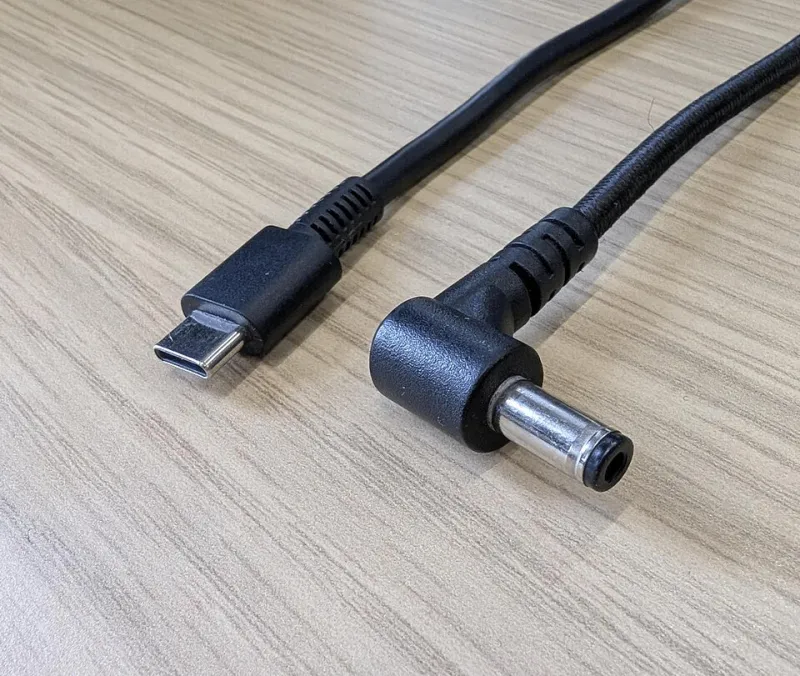
Photo: Harry Bond, CC BY 4.0, via Wikimedia Commons
I spent a weekend moving 214GB of video off a phone and onto a desktop, and I came away convinced of one thing: the phone is the new sneakernet, and it is terrible at the job.
That is not a knock on the hardware. It is a knock on the software stack. Every transfer method available to a normal person in 2026 is either fast and fragile, or reliable and absurdly slow. Here is the map.
The cloud round trip is a tax you keep paying
Drop a 4GB video into iCloud Drive or Google Drive on your phone and open it on your PC. Congratulations — you have now uploaded 4GB to a data center and downloaded it again, often on a metered connection, often twice, because the desktop client and the browser do not agree on caching.
The round trip is fine for a document. For a folder of drone footage it is a tax on your bandwidth, your patience, and your data cap. Cloud sync is a delivery service, not a transfer cable, and it charges by the mile.
iPhone to Mac: the one path that mostly works
AirDrop between an iPhone and a Mac is the closest thing to a good experience that exists. It uses a direct wireless link, it is fast on modern hardware, and it does not need a cable you cannot find. Two caveats worth knowing:
- Set the receiving device to Everyone for 10 Minutes when the transfer involves more than a couple of files. Contacts Only will silently fail on a machine that is not signed into the same account.
- Keep both screens awake. A locked phone will kill a long transfer. For anything over a few gigabytes, this becomes a real annoyance — Apple does not give you a progress bar that survives a screen timeout gracefully.
If the transfer keeps dying at 80%, switch to the cable. A USB-C iPhone and a decent cable will beat AirDrop for sheer stubbornness on very large files.
iPhone to Windows: the awkward cousin
This is where people give up and email themselves a link. Your options:
- The Apple Devices app from the Microsoft Store. It gives you a file browser into the phone's photo library and a backup tool. Slow, occasionally temperamental, but it works without an internet connection.
- File Explorer via USB. Windows sees the iPhone as a camera and lets you pull from the DCIM folder. Photos and videos only — no documents, no app data.
- iCloud for Windows. Convenient if you already pay for storage, but it is the cloud round trip again with extra steps.
One more thing: by default the phone hands over HEIC and HEVC files, which is efficient and occasionally annoying. Set the transfer behavior to keep originals if you plan to edit, or automatic conversion if you just want files that open everywhere.
Android to Windows: better than it used to be
Quick Share for Windows has quietly become the sanest cross-platform option on the market. Install it, pair once, and drag files both ways over the local network. It handles big files better than AirDrop does across ecosystems, mostly because it does not pretend the two platforms are friends.
The cable still wins for bulk. Plug in, choose File Transfer mode on the phone, and Windows mounts it as a drive. Copy the folder, walk away, come back later. If the phone is being difficult about MTP, adb pull from a terminal is dramatically more reliable and every bit as nerdy.
Phone to phone across platforms: still a dead end
AirDrop does not talk to Quick Share. Quick Share does not talk to AirDrop. Anyone who tells you otherwise is describing a third-party app that wants access to your contacts. For cross-platform phone transfers, you have two honest options: a USB-C drive with both connectors, or a laptop as an intermediary. That is it. Everything else is a cloud round trip wearing a costume.
The checklist I actually use
- Under 500MB and both devices nearby? AirDrop or Quick Share. Done.
- Over 5GB? Cable. Always cable. Wireless is for convenience, not volume.
- Cross-platform and no cable? Quick Share for Windows, or a USB-C flash drive formatted exFAT so both sides can read it.
- Do not delete from the source until the destination file opens. Not until it appears in the folder — until you have actually played the video or opened the document. Half-written files look identical to finished ones in a file listing.
- Verify the count. Compare number of files and total size, not just the folder name. This has saved me twice.
The uncomfortable conclusion
We have gigabit internet and phones that shoot 4K, and the best way to move a large file between them is still a wire. That is not a failure of imagination on my part. It is a failure of the ecosystem to agree on anything, and it is why the humble USB-C cable remains the most valuable thing in my bag.
Master the cable. Then master the storage.